UI/UX Design: A Beginner’s Guide to Skills, Tools, Courses and Careers
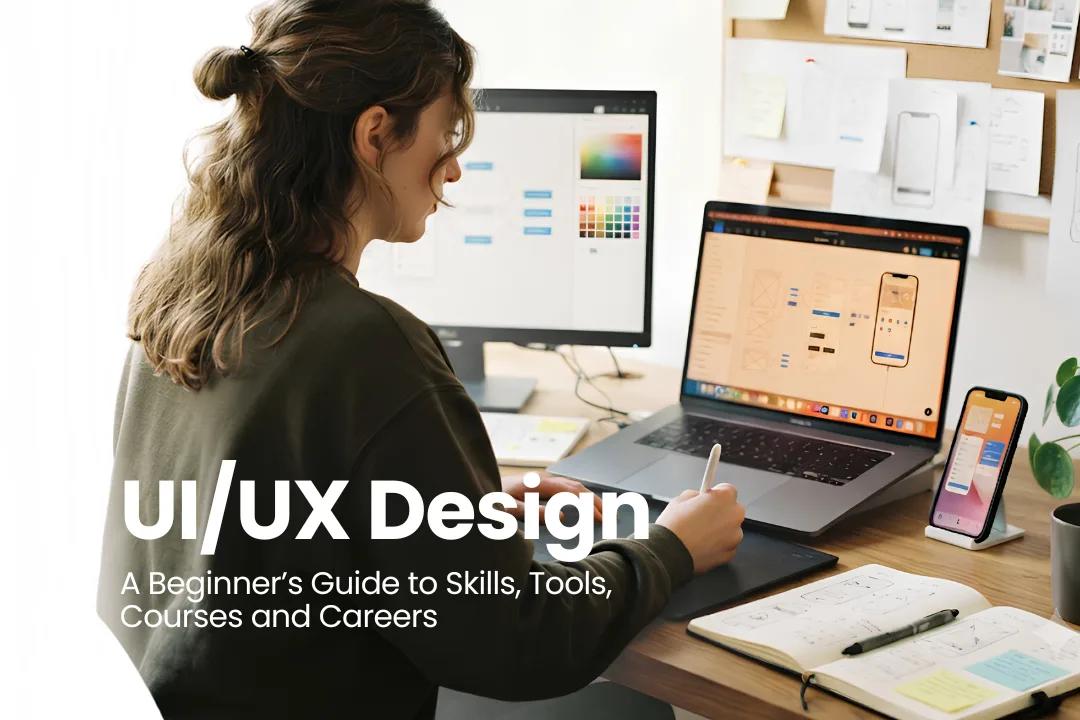
Learn UI/UX design from scratch, including essential skills, Figma tools, courses, portfolio tips, career options, and how to become a UI/UX designer.
If you’re considering a career that includes creativity, technology, and problem-solving, you may want to take a look at UI/UX design. Here’s an easy way to understand why. A student is trying to pay his college fee, but the payment button is nowhere to be found, and a quick task turns into a frustrating one.
UI/UX designers step in to solve problems like this. They make digital products easy to use and easy to understand, and UI/UX design gives creative thinkers a clear path into the field.
If you are a beginner, read this guide as it covers the skills, tools, and courses for beginners, along with portfolio development and career opportunities after learning UI/UX design.
What Is UI/UX Design?
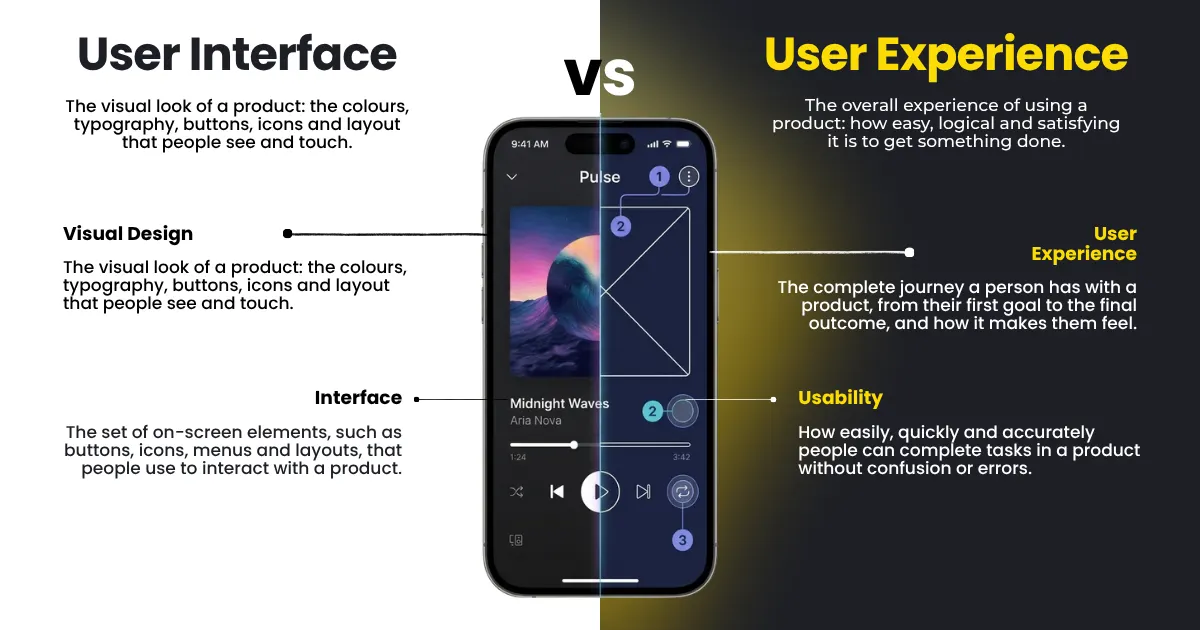
When we use an application, website, or software, UI/UX design focuses on that. The product's appearance is referred to as UI, which stands for user interface. User experience is called UX, and it is that the experience of using it.
What Is UI Design?
UI design stands for user interface design. Everything you see and tap on the screen is done under UI design. Think of the food delivery app like Swiggy, where you see food photos beside the price. It includes:
Fonts and text sizes
Colours and contrast
Buttons, icons, and menus
Layouts and spacing
What Is UX Design?
UX design decides how a product feels from the first tap to the finished task. A train booking website could look good at first, but if booking a ticket takes eight steps, people usually don’t like the experience. So, it makes the apps and websites:
Easy to navigate
Clear steps to finish a task
Access for people with different needs
Difference between UI design and UX design
Read the table below. It makes the difference clear.
Situation | UI design fix | UX design fix |
Food app with a hidden cart | Bigger cart icon in a clear colour | Cart on every screen, checkout cut to three steps |
Train booking app | Readable seat colours | Saved passenger details, so nobody retypes them |
College fee page | Neat layout, clear Pay button | Form cut from ten fields to four |
Why Does UI/UX Design Matter?
People usually don’t like the websites or apps that take a lot of time to do a simple task. A smooth design helps them to do the task quickly. So usability means:
Faster tasks, because people find things quickly
Fewer abandoned payments and sign-ups for the business
Fewer support questions from confused users
What Does a UI/UX Designer Do?
A UI/UX designer start bny undretanding the real issue and later solves the problem. The college fee page is a good example, as students visit the page, get confused, and exit.
What Does a Designer Do First?
They talk to people. Interviews, surveys, and plain old watching all work, and the question stays the same. Where do students get stuck on the fee page?
How Do They Plan the Screens?
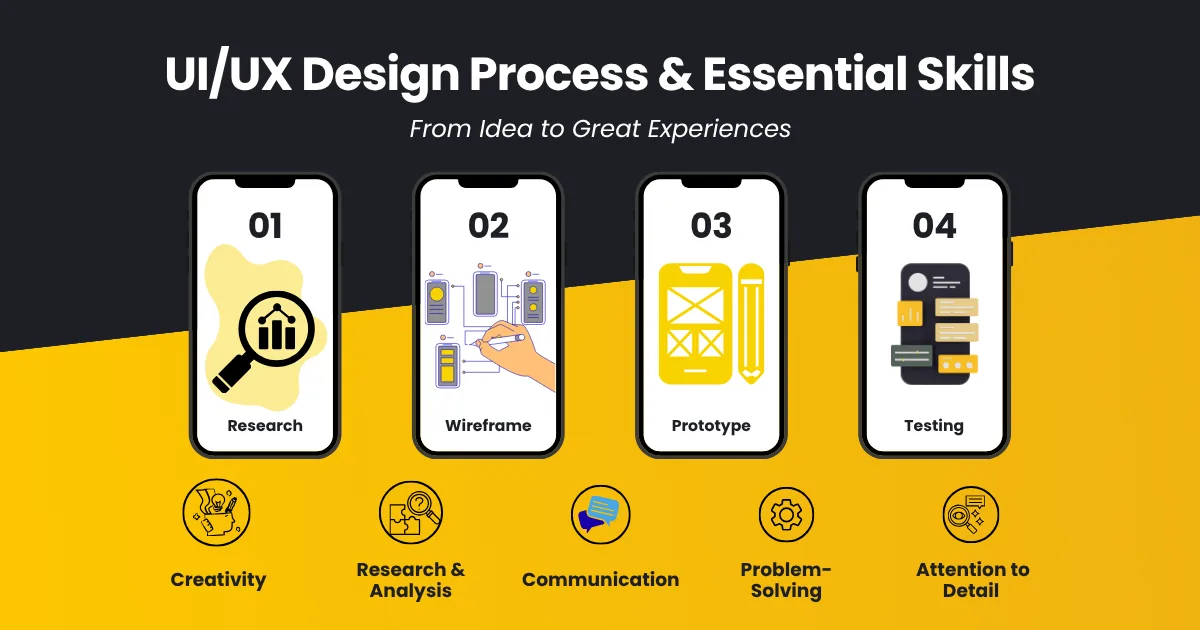
A user flow is the chart of actions taken by a person to accomplish a task and serves as the starting point. Wireframes come after this. These are rough black and white sketches of each screen, and colours are not important at this stage; however, the order of the screens is. When the order is fixed, the screens are connected to form a clickable demo, which is the process of prototyping. Teammates can tap through it before any code is written. Figma handles both of these stages, so one tool is enough here.
How Do They Test an Idea?
Five or so real users try the demo, which is a common starting point for a small usability test, though it won’t catch every problem.
Give each person one task
Watch where they pause
Fix it and test again
Actual example: fixing a confusing checkout
A large online shop sent shoppers to a Login or Register page right after Checkout, and first-time buyers resented it. The team swapped the Register button for a Continue button with a note saying no account was needed. Usability expert Jared Spool reported about $15 million in extra sales in the first month and around $300 million in the first year. The store was not named, so those figures can’t be independently verified. His account is in the $300 Million Button.
Baymard Institute’s 2025 research supports the general point. It found that 19% of abandoning shoppers blamed forced account creation, with earlier surveys nearer 24%. See Baymard’s cart abandonment research.
What Skills Do You Need to Become a UI/UX Designer?
Novices usually begin learning one skill at a time. However, you may refer to the table below to find the skill that is relevant to you.
Skill group | What to learn | How to practise |
Visual | Typography, colour, spacing, hierarchy, attention to detail | Rebuild one app screen and compare it with the original |
UX and research | Interviews, information architecture, wireframes, accessibility | Ask five friends to try an app and note where they struggle |
Technical | Prototyping, design systems, developer handoff | Build a small clickable demo |
Soft | Empathy, communication, and taking feedback | Explain your design choices out loud |
The way content is arranged and presented, made easy to find for the users in known as information architecture. It includes the colours, buttons, and the rules that a tea shares.
Which UI/UX Design Tools Should Beginners Learn?
Start learning the basic tools and software at the beginning. Below are some software and tools you can learn first.
Start With Figma
Most beginners start with Figma, and there are good reasons for it. It opens in your browser, the free plan is enough to begin, and you will find a lot of tutorials online. Free plan limits can change, so look at them again before you commit to it.
Create a frame and give it a name
Draw buttons using the rectangle and text tools
Make one button a component, then reuse it
Turn on auto layout so spacing adjusts by itself
Connect two frames and run a prototype
When Do Other Tools Help?
FigJam and Miro are normally used as shared boards, where you can map user flows or sort research notes with your team. Notion and Google Forms are used to collect survey answers. If you want to know more about the main tool, check out our Figma for beginners guide.
What About Adobe XD?
Now Adobe has put XD in the maintenance phase, which means only bug fixes but no new features, and new users cannot purchase it as a standalone product anymore. For new users, getting started with Figma makes more sense.
How Can You Learn UI/UX Design From Scratch?
For anyone wishing to learn UI/UX design, just follow the above process and get started.
What Is the Best Learning Order?
Stage | What to learn | What to do |
1 | What UI and UX mean, why usability matters and what user-centred design is | Note down examples from the apps you use every day |
2 | UI design in one tool | Copy a simple app screen in Figma |
3 | Research, wireframes and prototyping | Take one small problem through all three |
4 | A real project | Simplify a student registration form |
User-centric design is usually created based on the user's needs. Well-planned tutorials can teach you how the software is used and integrated with the product through projects.
What Is a Six-Month Plan All About?
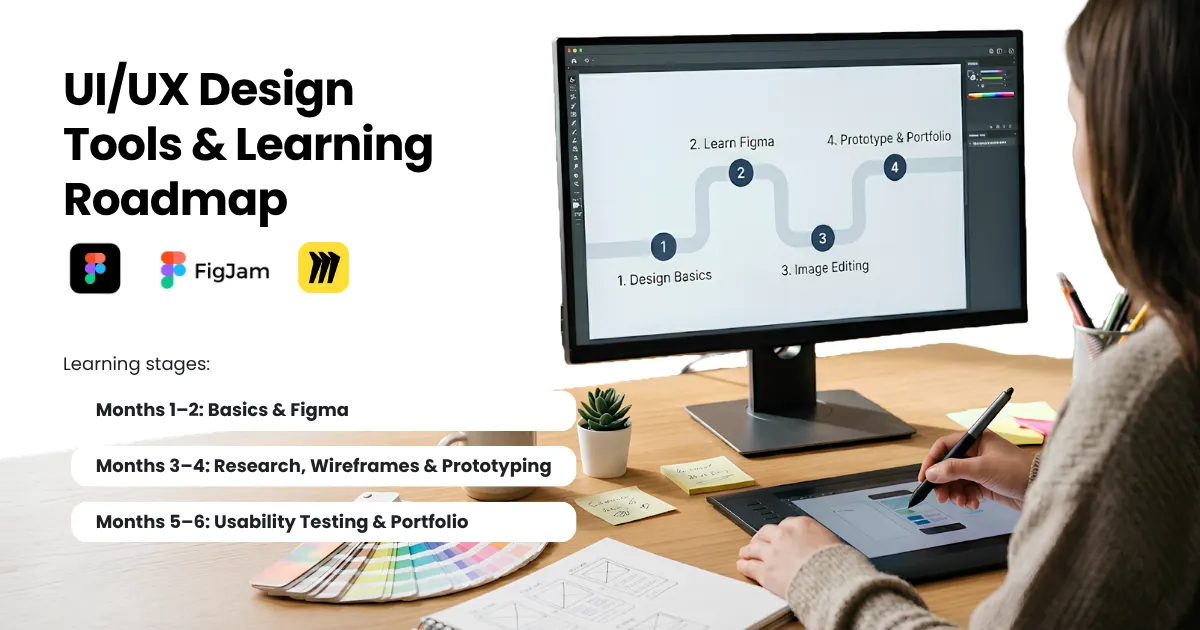
This represents the division of your time. You will be pacing yourself differently, and some learners feel comfortable six months to a year later, but this is only a rough estimate.
Month | Focus | What you finish |
1 | Basics and Figma | Key terms, a tool tour, one copied screen |
2 | UI design | Type, colour and spacing, two app screens |
3 | Research and wireframes | Five interviews, a user flow, wireframes |
4 | Prototyping | A clickable demo with reusable components |
5 | Usability testing | Five tests, fixes, your first case study |
6 | Portfolio and applications | A second project, a live portfolio, and internship applications |
How Do You Choose a UI UX Course?
You can begin with free videos without spending a rupee, but then you are on your own when it comes to checking your screens. A UI UX course fills that gap, since trainers go through what you make and help you fix it while the project is still open.
Which Course Format Suits You?
Format | Suits you if | Watch out for |
Self-learning | You have a small budget and a flexible schedule | No feedback, and it is easy to stall |
Online course | You want a fixed schedule from home | How feedback is given and how often |
Classroom programme | You want routine and in-person mentoring | Fees, travel and batch timings |
What Should You Check Before Enrolling?
Syllabus and tools taught, including Figma, wireframes, and prototyping
Trainers’ background in real design work
How often do you get project feedback
Portfolio support and mentoring
What past students built
Total fees and duration
Feedback and portfolio projects matter most because those are what you will show employers later.
How Does OREAL World Fit In?
OREAL World is an AVGC-XR institute in Noida with design and media programmes, including UI/UX Design. Run the checklist above on its programme page.
Check if your syllabus has covered Figma, Wireframing & Prototyping, Project Review Procedure & Portfolio Support.
If there's no mention of this, you may need to contact their Admissions Committee for more info on that.
Not sure UI/UX is your thing? Try this quick guide.
If you enjoy | Programme to explore |
Making apps easy to use | UI/UX Design |
Logos, posters and brand looks | Graphic Design & Branding |
Animated visuals and movement | Motion Graphics |
Also weighing graphic design? Read our guide on graphic design courses after 12th.
How Do You Build a UI/UX Design Portfolio?
What does a hiring team look for in a portfolio? Mostly your thinking, meaning how you went about solving a problem, and the polish of the screens come second.
Which Projects Should Beginners Include?
Employers don’t follow one fixed rule for the number of projects. Two or three strong ones are enough for a beginner, and a simple website can host them without any fuss.
A mobile app redesign to show layout skills
A booking or ordering flow to show UX design thinking
A small research project that starts with a real user problem
Make sure at least one project starts from user research, so your choices rest on evidence.
What Should a Case Study Include?
Problem statement and project overview
Target users and research findings
User flows and wireframes
Design decisions and prototypes
Usability testing and revisions
Final solution, learnings, and limits
Show real work only, and mark what is an assumption and what came from research. Label any made-up numbers as examples.
What Mistakes Should You Avoid?
Pretty screens with no explanation
Claims about results with no proof
Ten weak projects instead of three strong ones
What Career Options Are There in UI/UX Design?
Job titles overlap a lot, and small companies often mix them.
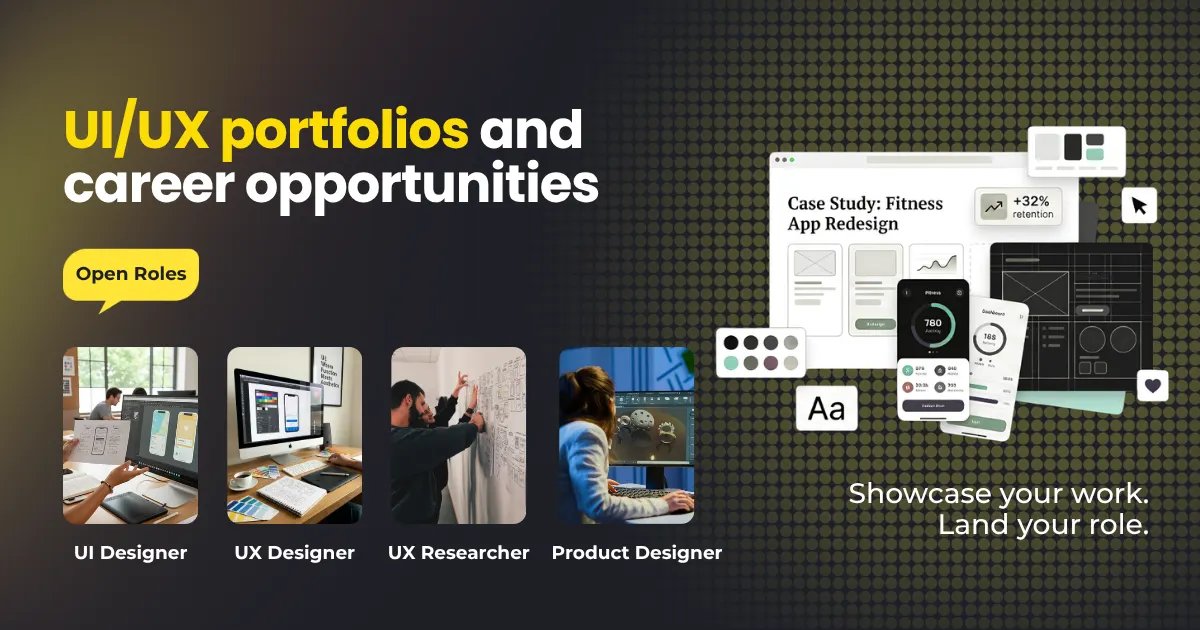
Which Roles Can You Aim For?
Role | Main work |
UI Designer | Visual screens, buttons, layouts |
UX Designer | Research, flows, testing |
UX Researcher | Interviews and studies |
Product Designer | The whole product journey |
Mostly beginners get hired for any of the following roles
Junior UI designer
Junior UX designer
Associate product designer
Design intern
When you are sure of what you enjoy, it's easy to decide and get into the job.
What Is the UI/UX Designer Salary in India?
In India, the salary is based on several factors. There is no fixed earning for all. It differs on the basis of company, job role, and location.
Key factors that influence salary:
Experience
Design skills
Job roles
Location
Company
industry
Visit AmbitionBox, Glassdoor, and Indeed to look at the salary figure. Don’t rely on general estimation.
Where Can You Find Jobs and Internships?
Check out the company’s website or LinkedIn profile. Apart from this, you can try using job portals like Indeed, Naukri, and Glassdoor etc.
How Do You Get Your First UI/UX Design Job?
Do you have the knowledge of the required skills and software? If yes, you could easily work on these,
What Should Your Resume Include?
One page only
Tools listed next to real projects
Internships, academic work, and personal projects
Your portfolio link is at the top
How Do You Apply for Internships?
Tailor your note to each company
Link the case study that fits best
Track every application in a simple sheet
How Do You Prepare for Interviews?
Practise telling a case study in two minutes
Try a small design challenge out loud
Show basic prototyping skills and a team attitude
Frequently Asked Questions About UI/UX Design
Can I become a UI/UX designer without a design degree?
Yes, it’s possible. No doubt, having a degree is an advantage, but many companies look at your work and your creative thinking.
Do I need coding skills for UI UX design?
Basic skills like HTML and CSS can be helpful to communicate with the developers. For a fresher, design and research skills are more important than other tools and skills.
Which UI/UX design tool should beginners learn first?
Figma is a popular first pick because it’s easy to start and has plenty of free lessons. Get good at it before adding anything else.
Can I learn UI/UX design for free?
In part. Free videos will give you the basics, but for structured learning, take a paid course on UI UX design. But these won’t build a portfolio, so work on real projects.
Will AI replace UI/UX designers?
The answer to this question is not sure. Of course, AI speeds up the layout drafting, but still a designer is the one who understands users and takes final decisions/.
Which UI UX course should I choose after 12th?
Start with what you enjoy. If you like fixing app problems, a UI UX course fits. If logos and posters pull you more, look at graphic design first. Then compare the syllabus, projects and feedback at OREAL World.
Is UI/UX Design the Right Career for You?
Think carefully about if you actually enjoy solving problems for real people. If this interests you, go ahead and try it before reaching your final conclusion.
Your UI/UX Design Skills & Portfolio would play a more significant role compared to the position you hold. So if you really like this path, then start working on it & practicing until you’re confident enough to kick off your career!
When you’re ready to compare options, explore the design programmes at OREAL World.